


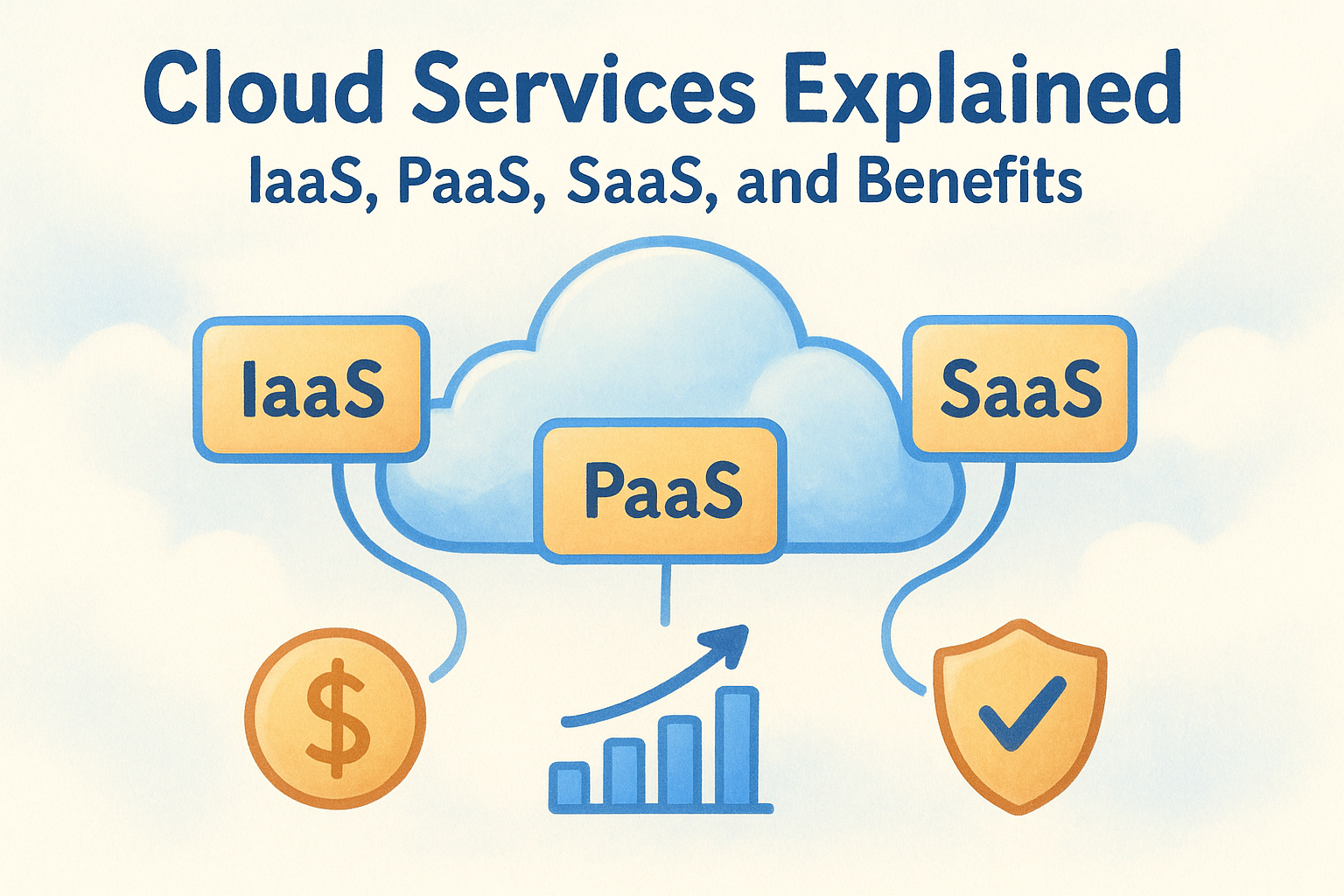
Every organization runs on infrastructure, servers, storage, networking, applications. The difference now is where that infrastructure lives and who manages it. If you’ve been tasked with evaluating options or simply need cloud services explained in plain terms, you’re in the right place. Cloud computing has moved from a buzzword to the default way businesses operate, and understanding its core models is step one toward making smart infrastructure decisions.
The challenge most teams face isn’t a lack of options, it’s too many of them. IaaS, PaaS, SaaS: these acronyms get thrown around constantly, but the practical differences between them matter when you’re choosing where to invest. Each model shifts a different amount of responsibility off your plate and onto a provider, which directly affects your costs, your team’s workload, and how quickly you can scale.
At Aristek, we help organizations build, staff, and manage their technical infrastructure end to end, and cloud strategy is a core part of that work. This article breaks down the three primary cloud service models, explains how each one works, and covers the real benefits they deliver. Whether you’re a CTO weighing a migration or an IT director trying to right-size your current environment, you’ll walk away with a clear framework for what cloud services actually are and which model fits your needs.
Why cloud services matter for modern businesses
Ten years ago, most companies ran their own hardware. Servers sat in a closet or a dedicated room, your IT team managed patches and updates manually, and scaling up meant ordering new equipment and waiting weeks for delivery. Cloud services changed that equation entirely, shifting infrastructure from a capital expense to an operational one and putting serious computing power within reach of organizations of every size. Getting cloud services explained clearly matters now because almost every business decision with a technical component touches the cloud in some way.
The shift away from physical infrastructure
Before cloud, your organization owned the problem. If a server failed at 2 a.m., someone on your team was responsible for fixing it. Hardware refreshes happened every three to five years, requiring large upfront budget commitments with no guarantee the investment would match your actual growth. Licensing, patching, physical security, cooling, and power costs all landed on your balance sheet and on your team’s calendar.
Cloud providers moved that burden off your shoulders. When you use cloud services, a third party owns, maintains, and upgrades the underlying hardware, while you pay for what you actually use. This model eliminates a significant category of operational friction and frees your internal team to focus on work that genuinely moves the business forward rather than keeping the lights on.
The real value of cloud infrastructure isn’t just cost savings. It’s getting your team’s time and attention back for strategic work.
Scalability that matches real business conditions
Business demand doesn’t run on a straight line. You might process ten times your normal transaction volume during a product launch, a seasonal peak, or a major campaign. Provisioning for peak capacity in a traditional environment meant buying and maintaining hardware that sat mostly idle the rest of the year, which is expensive and wasteful by any measure.
With cloud services, you scale up during high-demand periods and scale back when demand drops, paying only for what you actually consume. This elasticity gives your organization flexibility that physical infrastructure simply can’t match. For IT leaders managing tight budgets, the ability to avoid overprovisioning while still handling spikes is a meaningful operational advantage.
Reliability, security, and compliance at scale
Smaller IT teams often struggle to maintain the kind of uptime and security standards that large cloud providers deliver as a baseline. Major cloud platforms like Microsoft Azure and Amazon Web Services invest billions annually in infrastructure redundancy, threat detection, and compliance certifications. Your organization gains access to that level of protection without building it from the ground up.
Compliance is a specific area where cloud providers add real value. Industries like healthcare, finance, and government operate under strict regulatory frameworks, and many leading cloud platforms carry certifications like SOC 2, HIPAA, and FedRAMP that help you meet your own requirements without duplicating effort. That doesn’t make compliance automatic, but it gives your team a far stronger foundation to build from.
How cloud services work and who manages what
The core concept behind cloud computing is straightforward: instead of running software and infrastructure on hardware you own and maintain, you access those resources over the internet from a provider’s data center. The provider manages the physical layer, and you consume capacity on demand, paying based on usage. Understanding this division of responsibility is the foundation for getting cloud services explained in a way that actually drives better decisions for your organization.
The shared responsibility model
Cloud providers and their customers don’t split responsibilities randomly. A formal framework called the shared responsibility model defines exactly where the provider’s obligations end and yours begin. This boundary shifts depending on which service model you choose, but the core principle stays consistent: the provider owns and maintains the physical infrastructure, and you own what you build and deploy on top of it.

The shared responsibility model isn’t just a technical concept. It’s a practical guide to knowing what your team must protect and what your provider handles for you.
For example, if your organization uses infrastructure services, your provider manages the data center, networking hardware, and virtualization layer. Your team takes responsibility for the operating system, application configuration, and data security above that layer. The more managed the service, the more the provider takes on, which is exactly why choosing the right model for your environment matters.
What you control versus what your provider handles
A useful way to think about cloud services is as a spectrum of managed responsibility. At one end, you control almost everything except the physical hardware itself. At the other end, the provider handles the infrastructure, the platform, and the application layer, and your team simply uses the software without touching the underlying systems.
| Layer | Managed by provider | Managed by you |
|---|---|---|
| Physical hardware | Always | Never |
| Virtualization | Always | Never |
| Operating system | Depends on model | Depends on model |
| Runtime and middleware | Depends on model | Depends on model |
| Application | Depends on model | Depends on model |
| Data | Never | Always |
Your data is always your responsibility, regardless of the service model you choose. No provider takes ownership of your data governance or security posture, so that accountability stays with your organization no matter how much of the technical stack you hand off. Knowing this up front helps you set realistic expectations and avoid gaps in your security planning when you move workloads to the cloud.
IaaS, PaaS, and SaaS explained with examples
These three models sit at the heart of any cloud services explained conversation, and the differences between them come down to one question: how much of the technical stack do you want to manage yourself? Each model shifts a different layer of responsibility to your provider, which directly shapes what your team builds, maintains, and pays for on a monthly basis.

IaaS: Infrastructure as a Service
IaaS gives you virtualized computing resources over the internet, including servers, storage, networking, and operating systems. Your provider manages the physical hardware and virtualization layer, and you configure everything above it. Think of it as renting the raw materials of a data center without owning the building or maintaining the facility.
Amazon EC2 and Microsoft Azure Virtual Machines are common IaaS platforms. Organizations that need full control over their operating environment, such as companies running custom OS configurations or specialized security setups, typically choose IaaS. Your team installs the OS, manages patches, and deploys applications directly on top of the virtual infrastructure.
PaaS: Platform as a Service
PaaS removes the need to manage the underlying infrastructure and operating system entirely. Your provider handles the runtime environment, middleware, and platform tooling, so your developers focus on writing and shipping application code rather than configuring servers. This model cuts development cycles and reduces the operational burden your team carries day to day.
PaaS tends to make the biggest difference for development teams that want to move faster without hiring dedicated infrastructure specialists.
Google App Engine and Microsoft Azure App Service are well-known PaaS options. Your team pushes code and the platform handles deployment, scaling, and maintenance of everything underneath. The tradeoff is reduced control over the environment, which matters if your application has specific runtime requirements that the platform doesn’t support natively.
SaaS: Software as a Service
SaaS is the model most business users interact with daily without thinking about it. Your provider owns and operates the entire stack, including infrastructure, platform, and application. You access the software through a browser or client, and your only responsibilities are managing your own data and controlling user access.
Microsoft 365 and Google Workspace are textbook SaaS products. Your IT team doesn’t patch the application or manage any servers. Deployment, updates, and uptime belong entirely to the provider, which makes SaaS the lowest-friction option for standard business applications where customization requirements are minimal.
Key benefits and tradeoffs to know upfront
Any honest cloud services explained conversation covers both sides. Cloud adoption delivers real, measurable advantages, but it also introduces new categories of risk and dependency that your organization needs to account for before committing to a migration or expansion. Understanding both dimensions upfront keeps you from discovering the tradeoffs only after you’ve already moved workloads.
The core benefits cloud services deliver
The most immediate benefit most organizations notice is cost structure. Instead of making large capital expenditures on hardware that depreciates over time, you pay for what you consume on an operational basis. That shift improves budget predictability and removes the guesswork of forecasting hardware needs years in advance. Your finance team gets clearer, more manageable IT spend, and your infrastructure costs flex with actual usage rather than anticipated growth.
Cloud services also compress the time between decision and deployment, which gives your team a concrete competitive advantage when speed to market matters.
Speed and scalability are the other major drivers. Provisioning a new server on-premises once took days or weeks. With cloud, your team can spin up capacity in minutes and shut it down just as quickly. For organizations running seasonal workloads, launching new products, or handling sudden traffic spikes, that elasticity removes a real operational constraint that traditional infrastructure simply cannot solve without significant hardware waste.
Tradeoffs you should plan for
Vendor dependency is the most common concern organizations raise when evaluating cloud services. Once you build your environment around a specific provider’s tools and services, migrating away becomes a significant technical and financial undertaking. Your team should evaluate how deeply integrated your architecture will be with proprietary services and whether that level of lock-in aligns with your long-term strategy before you commit to a direction.
Cost predictability also cuts both ways. While cloud eliminates large upfront hardware expenses, unmonitored usage can produce unexpected monthly bills that catch teams off guard. Storage, data transfer, and compute costs compound quickly when workloads are not properly governed. Setting up cost monitoring alerts and usage policies from day one, rather than after your first surprise invoice, is how experienced teams keep their cloud spend aligned with actual budget expectations and avoid the frustration of retroactive cost controls.
How to choose the right cloud services for your needs
Choosing between IaaS, PaaS, and SaaS comes down to three practical variables: your team’s technical capacity, your workload requirements, and your tolerance for vendor dependency. Getting cloud services explained in a theoretical sense is useful, but applying that framework to your specific environment is where actual decisions get made. The right model for your organization isn’t necessarily the most sophisticated one. It’s the one your team can realistically operate and maintain at the level your business demands without adding hidden complexity.
Start with your team’s current capabilities
Your internal team’s skill set is the most honest filter for narrowing down your options. If your staff includes strong infrastructure engineers comfortable managing operating systems, patching schedules, and security configurations, IaaS gives you full control without adding overhead you can’t absorb. If your team leans toward application development and wants to ship faster without maintaining server environments, PaaS removes that operational layer entirely and redirects your engineers toward the work that actually drives value.
Most organizations don’t run on a single model, and that’s completely normal. A practical pattern is using SaaS for standard business tools like email and collaboration, PaaS for internal development environments, and IaaS for workloads that require custom operating configurations or specific compliance controls. Mixing models based on actual team capability rather than what sounds most modern keeps your environment manageable as it scales and prevents skill gaps from turning into outages.
The most expensive mistake in cloud adoption is choosing a model your team lacks the skills to operate, then paying external consultants to manage what you assumed you’d handle internally.
Match the model to the workload, not the other way around
Each workload carries a distinct technical profile: some require deep customization, others demand fast deployment cycles, and some are simply standard tools that don’t justify any infrastructure management overhead at all. Running a custom in-house application on a SaaS model doesn’t work. Deploying a standard CRM on IaaS wastes your team’s time on configuration that a fully managed product handles automatically, with no meaningful benefit to your business.
Mapping each workload to the right model before you begin a migration prevents the rework that comes from discovering a mismatch after you’ve already committed. Start by listing your key applications, who owns them today, and how much customization each one actually requires. That inventory gives you a direct path to the right model for each workload and clarifies where consolidating onto a single provider adds operational simplicity rather than unnecessary constraint.

Final takeaways
Cloud services explained simply: every model trades a different level of control for a different level of managed responsibility. IaaS gives your team maximum control over the technical environment while requiring the most internal expertise to operate. PaaS removes the infrastructure layer so your developers can focus on building and shipping code. SaaS handles the entire stack, leaving your team responsible only for data governance and user access.
Choosing the right model depends on your team’s capabilities, your workload requirements, and how much vendor dependency fits your long-term strategy. Cost flexibility, scalability, and deployment speed are the primary benefits across all three models, but unmonitored usage and vendor lock-in are real risks worth planning for before you migrate a single workload.
Your organization doesn’t have to sort through those decisions alone. If you’re ready to build and manage a cloud environment that actually fits your business, connect with the Aristek team to get started.


Leave a Reply